For Mid-Handicap Golfers

Play Smarter,
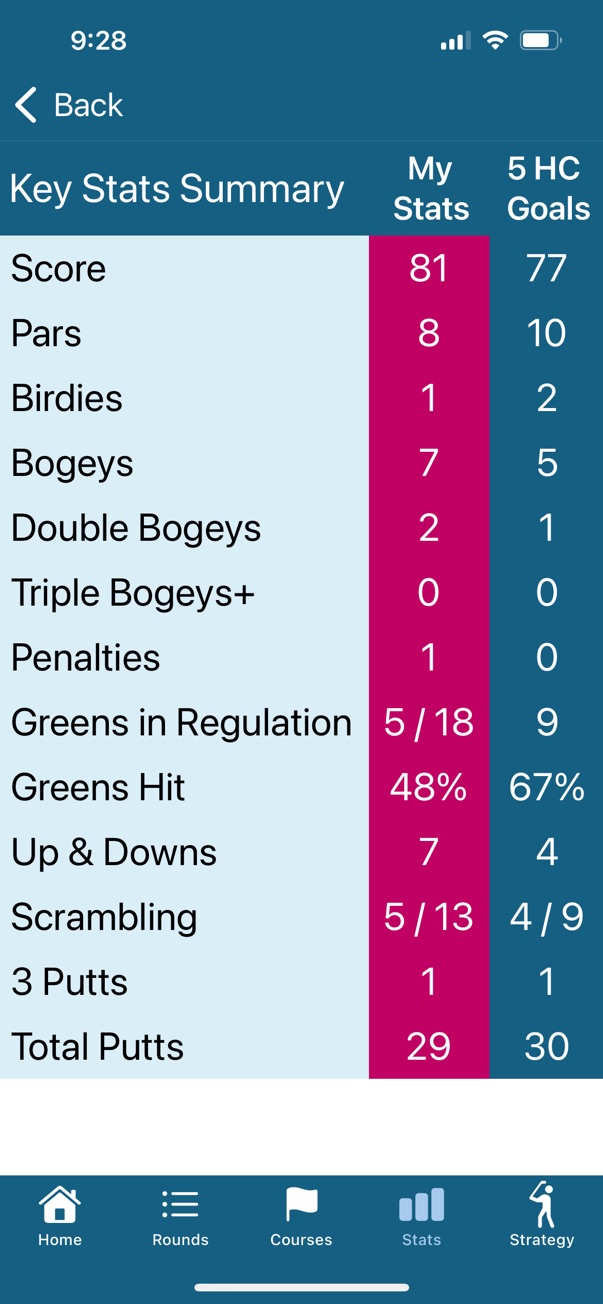
Score Lower

myGolfEdge helps mid-handicap golfers lower scores and enjoy the game more by providing actionable insights—not overwhelming data.

GPS Accurate
Distance Tracking
Automatic
Shot Detection
Smart
Club Recommendations
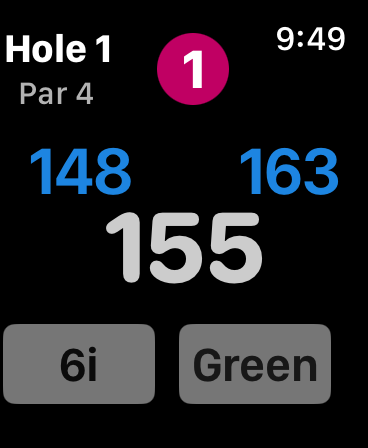
Apple Watch showing GPS distances to green with club recommendation
📊

Actionable Insights

Clear, strokes-gained analytics that show exactly where to improve—no overwhelming data.

Effortless Tracking

Automatic shot detection on your Apple Watch. Focus on playing, not fiddling with tech.

🎯

Smart Recommendations

GPS-accurate distances and intelligent club suggestions based on your performance data.

Everything You Need to Improve

Powerful features designed specifically for mid-handicap golfers

Apple Watch GPS Companion

Get accurate distances to the front, middle, and back of every green. Automatic shot tracking captures your performance with almost no effort from you.

  • Real-time GPS distance measurements
  • Automatic shot detection and logging
  • Smart club recommendations
  • Seamless sync with iPhone app

Strokes Gained Analytics

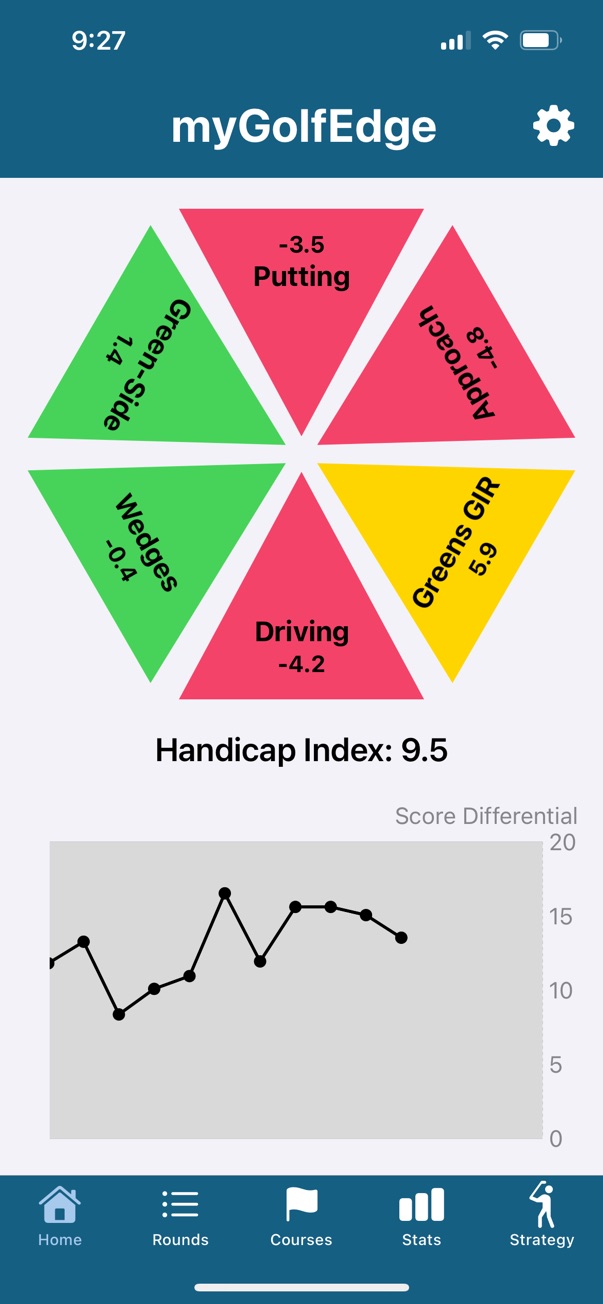
Understand your game with clear, visual breakdowns of your performance across all categories: driving, approach, wedges, chipping, and putting.

  • Visual hexagon performance chart
  • Track progress over time
  • Compare against benchmarks
  • Identify strengths and weaknesses

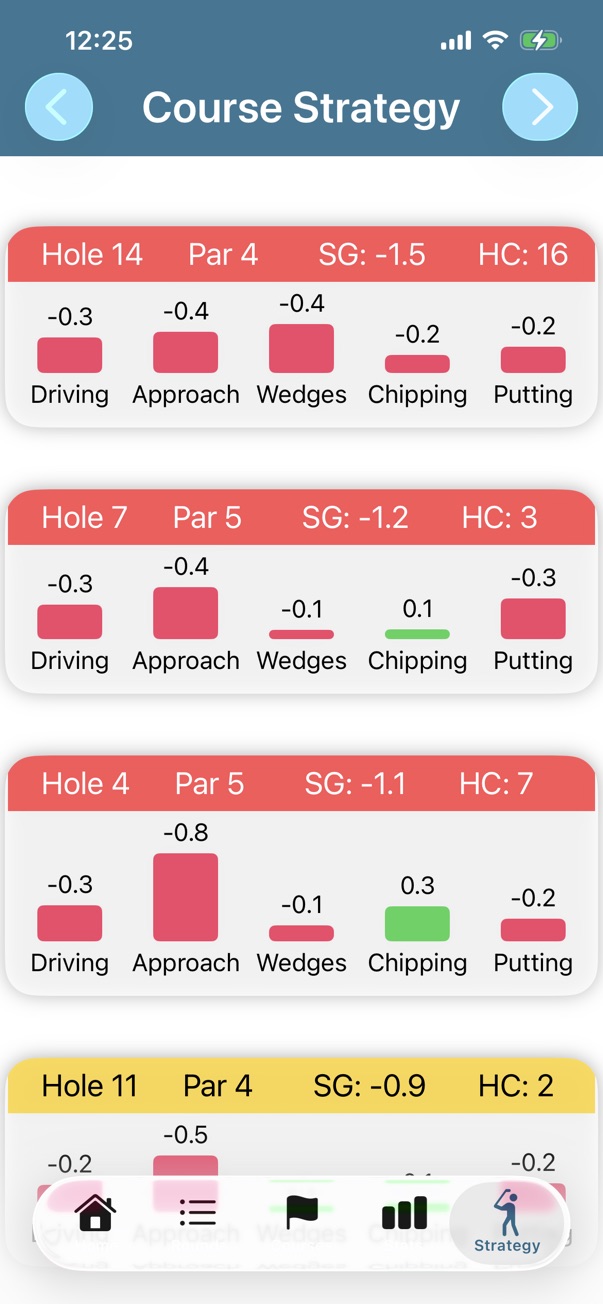
Personalized Practice Plans

Get specific, actionable practice recommendations based on your data. Know exactly what to work on to see the biggest improvement in your scores.

  • Data-driven practice strategies
  • Category-specific drills
  • Progress tracking and goals
  • Focus on high-impact areas

Simple to Use, Powerful Results

Start improving your game in three easy steps

1

Play Your Round

Wear your Apple Watch and play golf. The app automatically tracks your shots and provides GPS distances.

2

Review Your Stats

After your round, open the iPhone app to see your strokes-gained breakdown across all categories.

3

Practice Smart

Follow personalized practice recommendations to work on the areas that will lower your scores the most.

What is Strokes Gained?

Strokes gained is the gold standard for measuring golf performance. It compares your performance to a benchmark on every shot, giving you a clear picture of where you're gaining or losing strokes.

Unlike traditional stats, strokes gained accounts for the difficulty of each shot, so you can see your true strengths and weaknesses.

Example:

If you hit a 150-yard approach shot to 15 feet, and the average golfer would leave it at 30 feet, you've gained strokes on that shot.

Driving +0.5
Approach -0.2
Putting -1.2

Join Golfers Lowering Their Scores

⭐⭐⭐⭐⭐

"Finally, an app that doesn't overwhelm me with data. I know exactly what to practice and I've dropped 3 strokes in two months."

— RJC
⭐⭐⭐⭐⭐

"The Apple Watch integration is seamless. I barely think about tracking—it just works. The GPS distances are spot on."

— GPC
⭐⭐⭐⭐⭐

"Strokes gained analytics helped me realize my short game was costing me 4-5 strokes per round. Game changer."

— Jon

Ready to Lower Your Scores?

Download myGolfEdge today and start playing smarter golf.

Compatible with iPhone and Apple Watch • iOS 15.0 or later